

Node Version Manager - NVM

1. Node version manager, the background story
You may be asking yourself why I should use a node version manager (nvm) in the first place?
In the past week I was tasked to build a new project. As this project was completely new I decided to use the some of the latest technologies. So I installed the latest version of node v20 at the time of writing. All the previous projects I worked on used node v14 that used Vue2 so I opted to use Vue3 and Vite.
After a week of coding using the new frameworks, which I was really enjoying, a bug came in that I needed to solve. So I open the old project and when to run using the default command I had used for ages npm run build dev. Think a developer with 13 years of experience would know what was coming next.
It came as a shock as I went to build the project nothing was working , I was getting various node-sass and node package incompatibility errors.
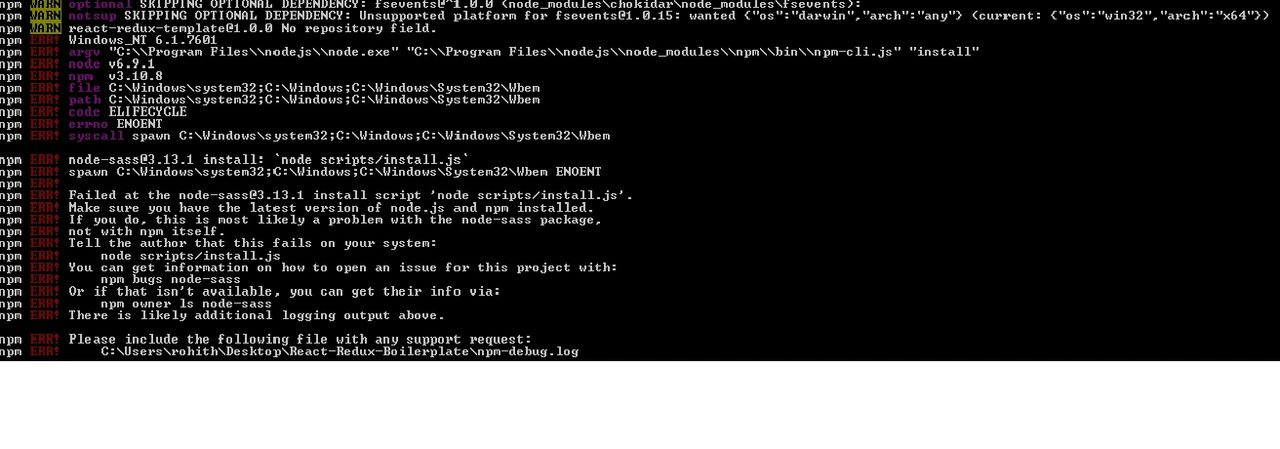
I tried various fixes. I deleted my node modules, re-run npm install --force. Nothing seemed to work. So I got up, went for a walk to our office kitchen and made a big cup of coffee to help me think. As I was walking on my way back to my desk it clicked I remembered that I had installed the latest version of node. So what did I do? I uninstalled node v20 installed node v14 and all my errors were gone.
Of course this was only a temporary solution, as now I had to use multiple versions of node for various projects, I did not want to have to install and uninstall node every time I had to switch projects. Node version manager (nvm) to the rescue.
2. What is NVM?
Node version manager (nvm) is a tool used to manage different node versions. It is especially useful when working on multiple projects that use various versions of node. So in my case I can run projects in node v20 and node v14.
3. How to install NVM for windows
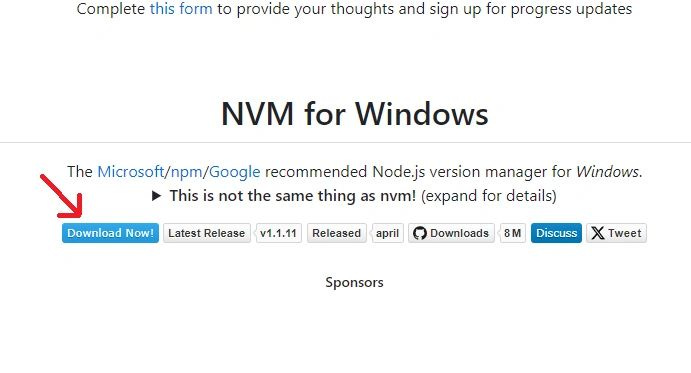
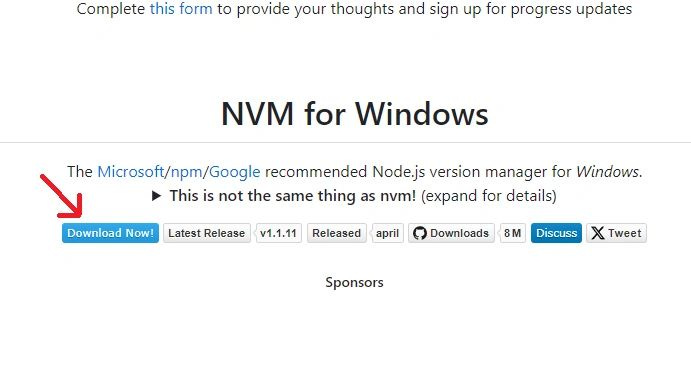
Go to nvm-windows and click on the download now button.
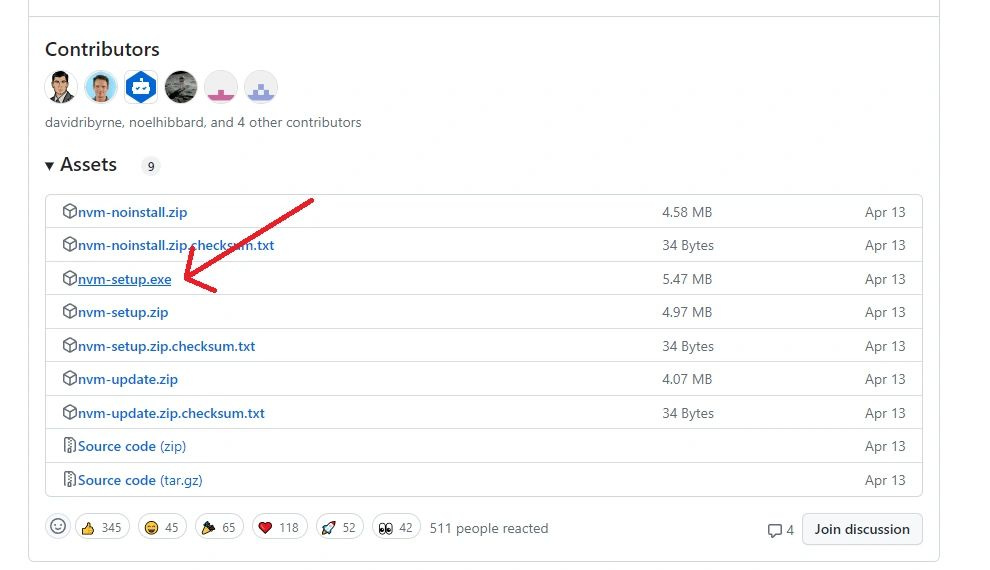
This will take to a release page where you can scroll down and click on nvm-setup.
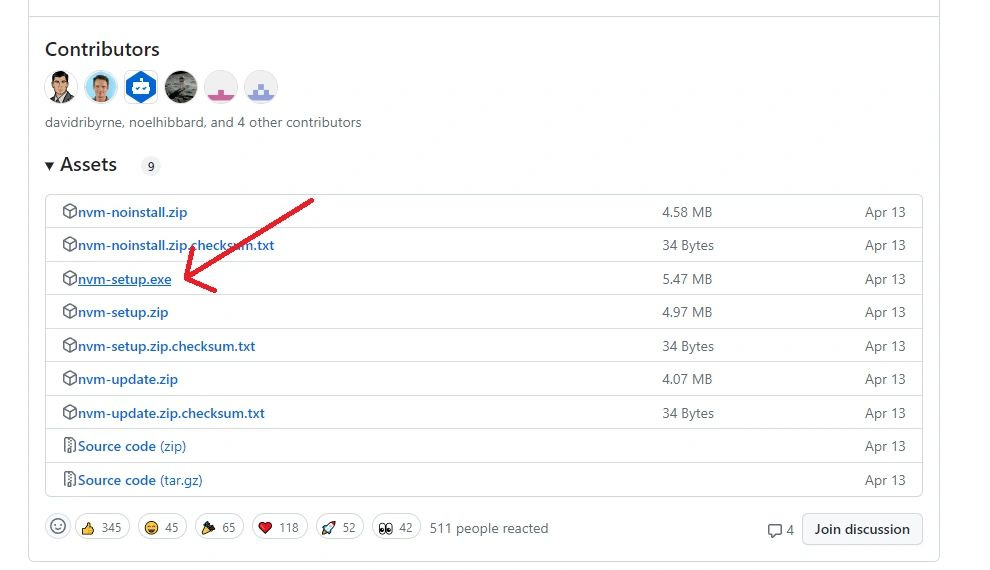
After the download completes, run the .exe.
When this is done you can confirm the installation was successful by opening a console and running nvm in a console.
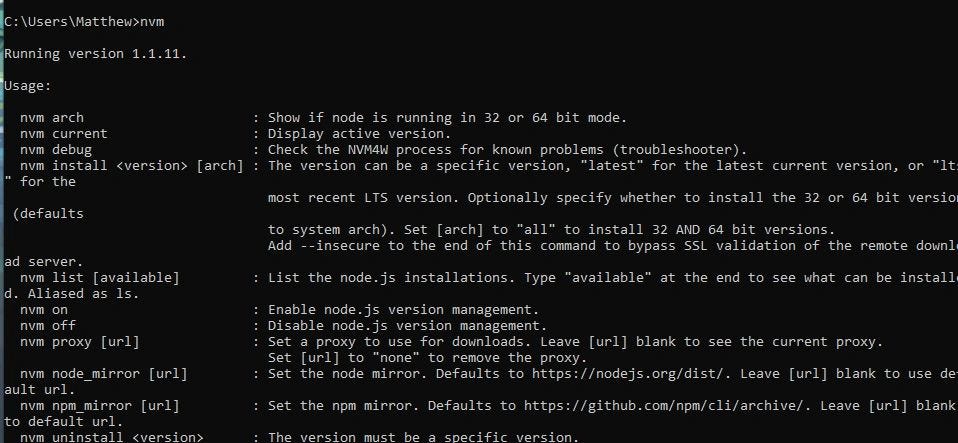
Now all you need to do to switch node versions is run nvm use 14.0.0
You can use nvm -help to list all the supported commands.
4. Conclusion
Node version manager is a great tool to use when working on multiple projects , it solves the problem of having to install and uninstall various node versions. Hope it solves your problem like it did for mine.